
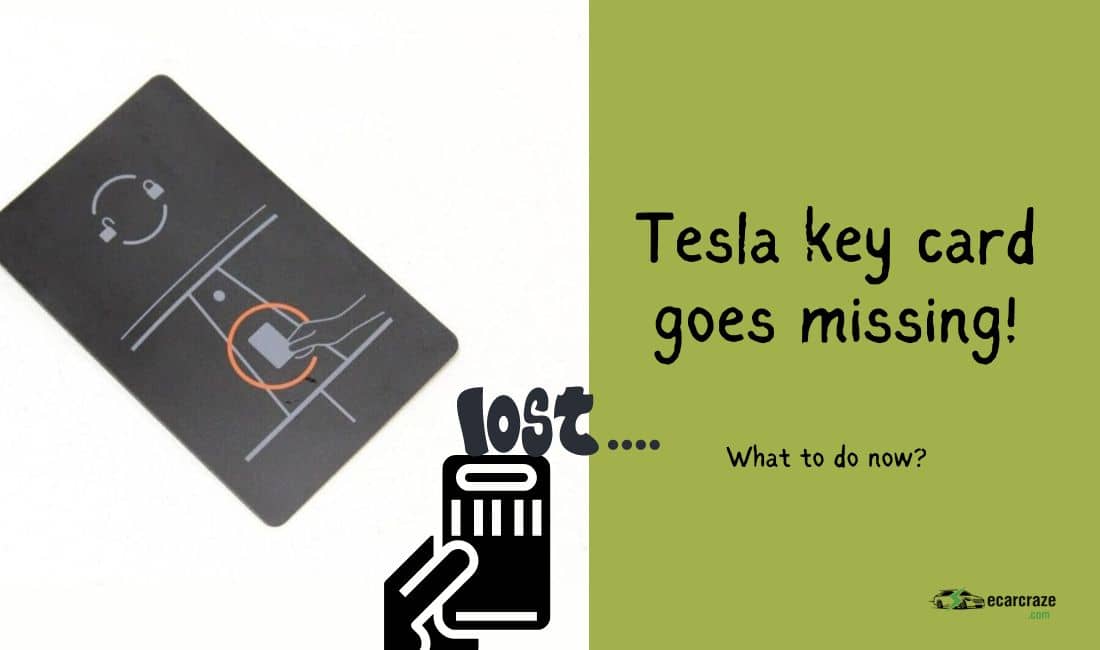
Tesla offers three types of keys, including the key card. This sleek card is convenient to carry in your wallet, and you can easily access your Tesla with the key card. But sometimes, the convenience turns into a hassle when you don’t find the key card.
So, what do you do if you lose your Tesla key card? Tesla key cards come in pairs. If you still have one key card, you can disable the lost key card. But if you lose them both, you need to use a phone key or a key fob to unlock the car.
Let’s learn the measures after losing a Tesla key card and how you can prevent this from happening.
Alternative to Tesla Key Card
If you have lost your key card, the first task is to access the vehicle. You can do that using the phone key. Here are the steps to set up your phone key.
Step 1: Download the Tesla App
Depending on the operating system of your phone, you can go to the Play Store or App Store and download the Tesla app.
Step 2: Log Into Your Account
Open the Tesla app. Then, enter your username and password to log into the Tesla account.
Step 3: Turn Bluetooth, Location, and Mobile Access On
Check if the Bluetooth option is enabled on your phone. If not, turn it on. Then, turn the location on from the phone settings. Tap “Controls” on the vehicle’s screen and choose “Safety.” Then, tap on “Allow Mobile Access.”
Step 4: Set Up the Phone
You need to go to the Tesla app and select “Set Up Phone Key.” Alternatively, you can tap “Controls” on the main screen and choose “Security.” Then, tap on “Set Up Phone Key.” Now, the system will start pairing your phone with the car, and it will be listed as a key to the car.
After the phone key is set up, you no longer need to carry key fobs or key cards with you. Your phone will work as the key via Bluetooth. When you approach the car, it will automatically unlock. Similarly, the car will be locked automatically when you leave the car and walk away. If the car door isn’t locking automatically, it indicates an error. To resolve this issue, refer to our comprehensive guide, Troubleshooting Tesla’s Auto-Locking.
Lost Tesla Key Card: Recovery Steps

The moment your Tesla key card goes missing, you should take the following steps to ensure your access to the car. I assume you have lost the key card outside the car, and the car is still locked.
Step 1: Get the Other Key Card
You will get two key cards from Tesla. One of these cards should be stored somewhere safe. If you have lost one key card, call your family or friends and ask them to show up with the second key card. Some users may lose both of their key cards. In that case, you should follow the next step.
Step 2: Use the Key Fob or the Phone Key
If none of the key cards are available, you can unlock your vehicle using the key fob. Collect the key fob from the safe storage and press the unlock button to access your car. In case the key fob isn’t also available, you have only one option left.
Step 3: Call Tesla Roadside Assistance for Help
When you don’t have any key cards or the key fob and the phone key isn’t set up, you can call Tesla Roadside Assistance for help. Share your location with them, and they will come up to rescue you from the situation.
Step 4: Get the Tesla Key Card Replacement
After you can access the car, you need to get a replacement key card for the vehicle. To get the replacement, you need to schedule an appointment with the service center.
- Go to the Tesla app on your phone and select “Service.”
- Then, tap on “Schedule Service”. You should select “Upgrades & Accessories” from the service list. Then, tap “Next.”
- Schedule the appointment by choosing your preferred slot.
- Arrive at the Tesla service center on the selected date and get the key card replacement from there. It might cost about $23-$300, depending on the difficulty of programming your key cards.
Lost Tesla Key Card: How to Deactivate It?
Once you gained access to your Tesla but haven’t found the lost key card, you need to deactivate the lost key card as soon as possible. Remember, you must have the other key card to deactivate the lost one. Follow the steps below to deactivate the lost card.
- Step 1: Get into the car using the remaining key card, the key fob, or the phone key. Then, tap “Controls” on the main screen. Select the “Locks” tab from the menu. The Keys section will be on the right side of the screen.
- Step 2: This section will show the names of enlisted keys. It is better to use different names for two cards and put labels on the cards. You can identify which card to deactivate easily if they have names and labels.
- Step 3: Tap the “Delete” icon on the right side of the lost card. When you hit the delete option, the system will ask for confirmation.
- Step 4: Scan the remaining card onto the center console behind the cup holder. After a few seconds, the reader will scan the card and delete the lost card from the list.
How to Set Up a Tesla Key Card After Replacement?
Once you get a replacement key card from the Tesla service center, you need to pair it with the vehicle to be able to use it. You can follow the simple steps below to pair the new key card.
- Step 1: Enter the car with your key fob or phone key. Then, press the brake pedal lightly to turn the screen on.
- Step 2: Tap on “Controls” and go to “Locks” from the main screen.
- Step 3: From the “Key” section on the right side, choose the “Add Key” option.
- Step 4: Place the replacement key card on the scanner behind the cup holders. Keep it there for a few seconds until the card is paired.
- Step 5: To authenticate the new pairing, you should keep the key fob on the center console. It will confirm that you are the original owner of the vehicle and no one is trying to steal your vehicle.
- Step 6: You will now see the added key on the “Keys” list. Tap the “Edit” icon on the right and rename this card so that you can recognize it easily. Then, print a label of the same name and attach the label to the new card.
Reporting the Lost Tesla Key Card
If you have none of the original key cards, you can’t deactivate the lost card yourself. But it is crucial for the safety of your car. So, you should report the issue to Tesla so that they can disable the card.
To do this, call Tesla support and inform them of the details. Request them to disable the lost card.
How to Prevent Tesla Key Card Loss?

You should take these preventive measures so that you don’t need to worry about a lost Tesla key card.
- Use a GPS-based tracker on the key card to prevent losing it. For example, you can bind an AirTag with each key card. By doing so, you can find key cards easily.
- Never carry multiple key cards with you. If you have two or more key cards, only carry one of them. Store the other cards somewhere safe. For example, you can keep one card in the office drawer or in the bank locker.
- Don’t place the key cards somewhere randomly. Once you have entered the car, put the key card in the wallet. Do the same thing after leaving the vehicle and locking it.
FAQs
I tried answering some common questions about the lost Tesla key card.
You can use up to 19 keys with your Tesla. That includes all key types, such as key cards, key fobs, and phone keys.
Tesla key cards use Radio Frequency Identification or RFID technology to communicate with the vehicle.
Yes. You can replace a lost key card anytime. But you should be careful not to lose the key card.
Conclusion
When you have a dead battery on the phone, a Tesla key card can be the easiest way to access your vehicle. But problems arise when you have lost your Tesla key card. Besides losing easy access, you are at risk of vehicle theft.
So, you should take prompt action to recover the key card. Access the vehicle with the remaining key card, key fob, or phone key. If it isn’t possible, call Tesla for help. Then, get the key card replaced and deactivate the lost key card.

I am an experienced guide in electric mobility, offering clear and expert guidance for those venturing into the world of electric vehicles.
Through collaborations, research, and hands-on experience, I navigate readers through the evolving landscape of smart automobile technologies and the significance of renewables.